

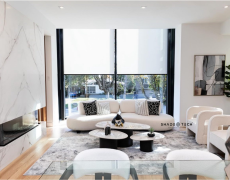
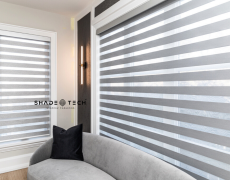
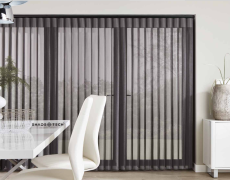

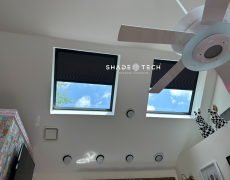


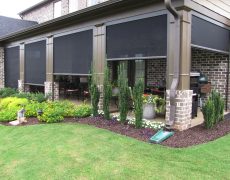




A bright Dallas afternoon can turn a glass-heavy living room into the hottest room in the house before anyone reaches for a wall switch. When you pair shades with Alexa, light control becomes part of the way your home responds: a simple voice command can lower sun-facing shades, protect furnishings from UV exposure, and make the room more comfortable without interrupting what you are doing.
That convenience depends on more than adding a smart device to an app. Reliable Alexa control starts with properly specified motorized shades, a compatible control method, strong wireless coverage, and thoughtful programming. Here is how to set it up well and get more value from it every day.
What You Need Before Connecting Smart Shades
Alexa does not control every motorized shade in exactly the same way. Some shade systems connect through a manufacturer hub or bridge, others communicate over Wi-Fi, and newer systems may use Matter as a common smart-home standard. The correct path depends on the motor, remote, gateway, and automation platform selected for your window treatments.
First, confirm that your shade system is Alexa-compatible. Compatibility may be native through the Alexa app, enabled through a manufacturer skill, or supported through a connected hub. A motorized shade with a handheld remote is not automatically voice-controllable. It needs the appropriate smart-home interface.
Next, make sure the shades have power. Battery-powered motors should be fully charged or fitted with fresh battery packs before setup. Hardwired shades should be energized and tested at the wall control, remote, or manufacturer app. If the shade does not travel smoothly before pairing, Alexa will not solve the underlying issue.
Finally, consider your home network. Large North Texas homes, masonry walls, metal-framed windows, equipment rooms, and outdoor living areas can affect wireless performance. A shade hub positioned too far from the shades or the router can create intermittent commands, delayed responses, or devices that appear offline. Network planning is especially valuable when automating multiple rooms, tall-window groupings, or outdoor screens.
How to Pair Shades With Alexa
The exact screens and prompts vary by shade manufacturer, but the sequence is generally straightforward. Complete each stage before moving to the next one so you can identify where a connection issue begins.
- Set up the shades in their manufacturer app first. Add the hub or gateway if your system uses one, then add each shade and confirm that it raises, lowers, and stops from the manufacturer’s app. This establishes that the motor and control system are communicating correctly.
- Give every shade a clear, room-based name. Names such as “Kitchen Left Shade” or “Primary Bedroom Blackout” are more useful than factory labels. Avoid similar names in nearby rooms. Alexa can confuse “Living Room Shade” and “Living Room Shades,” particularly in a house with several automated window groups.
- Connect the shade platform to Alexa. In the Alexa app, add a device or enable the manufacturer’s Alexa skill, depending on the platform. Sign in with the account used to configure the shades. If the system supports Matter, follow the Matter onboarding process provided by the shade platform and Alexa.
- Discover devices and assign rooms. Alexa should locate the individual shades, groups, or scenes made available by the manufacturer platform. Assign each device to the correct Alexa room. This matters because it allows natural commands such as, “Alexa, lower the shades,” when you are standing in that room with an Echo device.
- Test commands before building routines. Try open, close, raise, lower, and stop commands. Some systems also support a specific percentage, such as “Alexa, set the office shade to 50 percent.” Confirm how your particular shades interpret open and close, especially with dual shades that combine a solar screen and room-darkening fabric.
If Alexa discovers the device but will not move it, check the manufacturer app first. If the app works but Alexa does not, the issue is usually account linking, a disabled skill, device discovery, or a naming conflict. If neither app works, look at power, hub status, and network connectivity.
Use Names Alexa Can Understand
Clear naming is one of the smallest details with the biggest impact. Keep names short, distinct, and conversational. “West Living Room Shades” is better than “LR Window Group 1.” For a wall of windows, it is often best to create both individual names and a group name, such as “Dining Window One,” “Dining Window Two,” and “Dining Shades.”
This structure gives you flexibility. You can adjust one window to reduce glare at a particular seat, or lower the entire group when late-day sun hits the room. For bedrooms, separating a light-filtering shade from a blackout shade helps prevent confusing commands and makes morning routines more useful.
Build Routines Around Dallas-Fort Worth Sun Exposure
Voice control is convenient, but routines are where automated shades begin to earn their place in the home. Instead of asking Alexa every afternoon, you can schedule shades around the way each room receives sun, how your family uses it, and the temperature patterns that make North Texas cooling costs climb.
A west-facing family room may benefit from lowering solar shades before the strongest late-afternoon glare reaches the glass. In a primary bedroom, sheer or light-filtering shades can rise on a weekday morning while blackout shades remain in place until a later command. A home office can lower shades during video calls, limiting screen reflections without making the room feel closed off.
Alexa routines can also tie shades to household moments. A “Goodnight” routine might lower bedroom shades, close common-area shades, and turn off selected lights. A “Movie Time” routine can lower the media-room shades while dimming lights. For a vacation property or a frequently empty home, scheduled shade movement can create a more lived-in appearance, though it should complement rather than replace a complete security plan.
Commercial settings benefit from the same approach. In a medical clinic, reception-area shades can be scheduled to reduce morning glare while preserving a calm, professional appearance. Restaurants can adjust dining-room shades ahead of a busy dinner service. Builders and designers can specify grouped controls that make a large model home or hospitality space easier for staff to manage.
Choose Automation That Protects the Design
Not every window needs the same shade, motor, or automation strategy. A patio opening may need motorized exterior screens designed for wind, heat, and insect control. A room with expansive glass may call for solar shades that preserve daytime views while reducing glare and UV exposure. Bedrooms often need room-darkening fabrics, while a front living room may prioritize refined light filtering and privacy.
That is why smart-shade planning should happen alongside fabric selection, mounting details, and window measurement. The motor can be technically compatible with Alexa and still be the wrong choice if it does not suit the size, weight, use pattern, or power access of the shade. Battery power can be an excellent option for many finished homes, while hardwired power may be the better long-term choice for new construction, major renovations, or large multi-shade installations.
The same principle applies to automation depth. A single voice-controlled shade may be enough for a small office. A home with 20 or more shades may benefit from room groups, whole-home scenes, dedicated hubs, and coordinated setup across Alexa, Apple Home, Google Home, or Matter-supported devices. More integration creates more possibilities, but it also makes professional configuration and documentation more valuable.
When Professional Setup Is Worth It
A smart shade should feel like part of the architecture, not another device that needs attention. That standard is especially relevant for tall windows, difficult-to-reach openings, multi-room projects, and homes where clean design matters as much as technology.
Professional measurement ensures fabrics align correctly, shade brackets are secure, and the finished installation looks intentional. Professional smart-home setup verifies motor limits, creates logical room names, connects hubs correctly, and tests routines before the project is handed over. It also avoids a common frustration: beautiful custom shades that work individually but fail to perform as a unified system.
For Dallas-Fort Worth projects, ShadeoTech combines local custom manufacturing, installation, and automation setup so the physical shade system and its Alexa control are planned together. That approach is particularly useful when sun exposure, large contemporary windows, and premium interior finishes all need equal consideration.
Once Alexa is controlling your shades reliably, start with one routine that solves a real daily problem – afternoon glare, early waking, or an overheated room. The best automation is not the one with the most commands. It is the one you stop having to think about because your home is already responding at the right time.
