

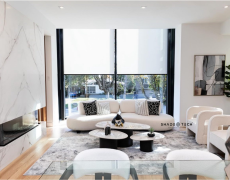
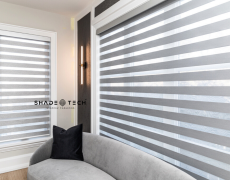
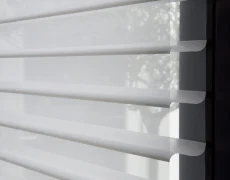
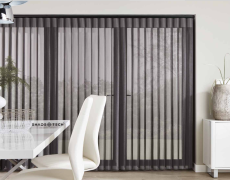
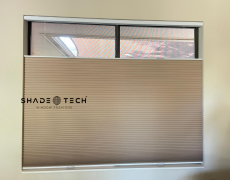

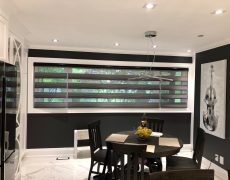
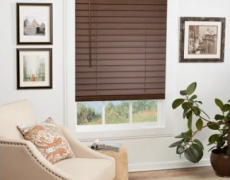
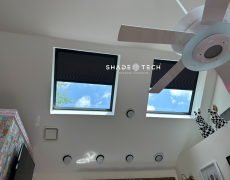


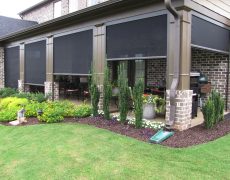

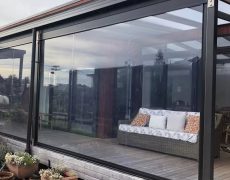



A wall of west-facing glass can turn a beautiful Dallas living room into the hottest room in the house by late afternoon. Motorized shades solve that comfort problem only when the controls are just as thoughtfully planned as the fabric, hardware, and installation. HomeKit shade compatibility is the difference between shades that simply move and a window treatment system that responds reliably to your home, your schedule, and your routines.
For homeowners building or upgrading a smart home, Apple Home is often the control center because it keeps lighting, thermostats, locks, sensors, and shades in one place. The question is not merely whether a shade motor can connect to an iPhone. The more useful question is whether the complete system can deliver dependable daily automation without extra steps, confusing remotes, or weak wireless coverage.
What HomeKit Shade Compatibility Actually Means
A shade system with true HomeKit support appears in the Apple Home app as a window covering accessory. You can raise or lower it by percentage, ask Siri to adjust it, include it in a scene, and automate it based on time, occupancy, or other connected devices. For example, a “Good Morning” scene may raise bedroom shades to 40 percent, while a “Movie Time” scene can lower media-room shades and dim the lights together.
That level of control is more useful than a basic app connection. Many motorized shades have their own proprietary app and remote, which can work well on their own but may not communicate directly with Apple Home. Some require a manufacturer bridge or hub. Others integrate through Matter, the newer smart-home standard that allows compatible accessories to work across platforms, including Apple Home.
These paths can all be appropriate. The right choice depends on the motor platform, the size of the project, network conditions, and how much control the homeowner wants from a single interface. What matters is knowing which architecture is being specified before shades are manufactured and installed.
Native HomeKit, Hub-Based Systems, and Matter
Native HomeKit products connect directly to Apple Home using the manufacturer’s supported method. This can be a straightforward option for a smaller project, particularly when the home already has a strong Wi-Fi network and an Apple home hub.
Hub-based systems use a dedicated bridge between the shades and the home network. Although some buyers initially see a hub as another piece of equipment, it can be the smarter choice for larger homes with many window coverings. A purpose-built bridge may offer more reliable communication with multiple shades than asking every motor to compete for Wi-Fi access.
Matter-compatible systems add flexibility for homeowners who use more than one smart-home ecosystem. A family may prefer Apple Home in the primary residence while a property manager, builder, or commercial client uses another platform elsewhere. Matter can reduce platform lock-in, but the specific motor, bridge, and features still need to be verified. Matter support does not automatically mean every advanced setting or automation behaves identically across every app.
What to Check Before Ordering HomeKit-Compatible Shades
The most expensive time to discover a compatibility problem is after custom shades have been fabricated. A polished result begins with a compatibility conversation during the design and measurement phase, not after installation.
First, confirm what the manufacturer means by “compatible.” Ask whether the shades appear directly in Apple Home, whether a bridge is required, and whether that bridge is included in the proposed system. Also verify whether the quoted motor supports the intended operation. A roller shade, Roman shade, drapery track, dual shade system, and exterior screen can have different motor and control requirements.
Next, consider the Apple home hub. Remote access and many automations generally depend on an Apple TV or HomePod configured as a home hub. Without one, a homeowner may still have local control but lose much of the value of integrated automation when away from home. A professional smart-home setup should account for this early, especially in new construction where the network and equipment locations are still being planned.
Network design deserves equal attention. Large North Texas homes often have concrete, steel, low-E glass, multiple stories, and outdoor living areas that can affect wireless performance. Shades in a high-ceiling foyer or an exterior patio opening should not be treated like a single shade beside a router. Proper placement of network equipment, bridges, and repeaters helps prevent the intermittent response that makes smart products feel unreliable.
Finally, define the desired controls. Voice commands are convenient, but they should not be the only way to operate a shade. A complete installation can include physical wall controls, handheld remotes, app control, Siri, scheduled routines, and manual operation where appropriate. This gives every member of the household a simple way to adjust light and privacy, even when a phone is not nearby.
Automations That Make Shades Worth Integrating
The strongest HomeKit automations solve a repeatable comfort or privacy issue. They should feel quiet and expected, not like technology performing for its own sake.
In a Dallas-Fort Worth home, solar management is often the first priority. West-facing shades can lower during peak afternoon sun to reduce glare and heat gain, then open later to restore views. Bedrooms can rise gradually on weekday mornings. Street-facing rooms can close at sunset for privacy. For homes with large contemporary glass walls, grouped shades can move together so the architecture looks intentional rather than pieced together.
HomeKit scenes also improve the experience of shared spaces. A “Leaving Home” scene can lower selected shades, turn off lights, and adjust the thermostat. A “Dinner” scene can soften direct sunlight in the dining room without blacking out the entire space. Pairing light-filtering shades with blackout shades adds another level of control: filtered daylight during the day, meaningful darkness for sleep or media viewing when needed.
Automation should account for real life. A sun-based schedule may need seasonal adjustment, and a room used as a home office may need different settings than a guest room. Motorized shades are most valuable when their programming reflects how each room is actually used.
Custom Shade Design Still Comes First
Apple Home control does not compensate for the wrong material, opacity, or fit. A beautiful automation experience begins with the right shade for the window and the exposure.
Solar screen fabrics can preserve daytime views while cutting glare and UV exposure. Room-darkening and blackout materials serve different purposes, and neither is automatically better. A bedroom may need blackout performance; a kitchen may benefit more from filtered daylight and heat control. In rooms with intense exposure, dual shades can combine both functions without forcing a compromise between openness and privacy.
Precision matters even more on expansive windows. An undersized shade leaks light and looks unfinished. A poorly planned motor location can make future service unnecessarily difficult. Large openings may also require multiple coordinated shades rather than one oversized unit. When those shades are measured, manufactured, and programmed as one system, they operate with the visual consistency expected in a high-end home.
ShadeoTech approaches these projects from the window outward: measure the opening accurately, specify materials for North Texas sun, manufacture to suit the application, then install and configure the technology as part of the finished product. That process avoids the common gap between a designer’s vision, an online motor purchase, and an installer trying to make unrelated components work together.
When a Professional Integration Is the Better Choice
A single battery-powered shade can be a practical entry point to smart window treatments. A full-house installation is different. It may involve dozens of motors, recessed pockets, hardwired power planning, layered coverings, exterior screens, and coordinated scenes across several floors.
Professional installation is particularly valuable when shades need to align across a wall of windows, when power must be concealed, or when the project includes tall, inaccessible openings. It also matters in restaurants, clinics, offices, and hospitality spaces, where staff need controls that are simple and dependable while the treatments withstand frequent operation.
For builders and contractors, compatibility planning should happen before drywall whenever possible. Hardwired motors, recessed shade pockets, control locations, and network equipment are easier to coordinate during construction than to retrofit after the finishes are complete. Battery power remains useful where wiring is impractical, but it introduces a maintenance consideration that should be understood from the start.
The best HomeKit-ready shade system is not the one with the longest feature list. It is the one that fits the windows precisely, handles Texas sun effectively, and responds the same way every day. Start with the rooms that create the most glare, heat, or privacy frustration, then build an automation plan around how you want those spaces to feel.
